Why the SUNBURST backdoor is stealthy
A lot of good articles are starting to be published, analyzing how the SUNBURST backdoor works in more detail. None of them have so far described (some) of the steps the authors have implemented to avoid detection. This short article will describe some of these mechanisms. For more in-depth analysis, see https://www.microsoft.com/security/blog/2020/12/18/analyzing-solorigate-the-compromised-dll-file-that-started-a-sophisticated-cyberattack-and-how-microsoft-defender-helps-protect/ and https://www.fireeye.com/blog/threat-research/2020/12/evasive-attacker-leverages-solarwinds-supply-chain-compromises-with-sunburst-backdoor.html.
Samples
For this analysis the following installers from SolarWinds were included:
- 2019.4.5220.20161-CoreInstaller.msi: signed October 10th, 2019.
- SolarWinds-Core-v2019.4.5220-Hotfix5.msp: signed March 24th, 2020.
- 2020.2.5220.27327-CoreInstaller.msi: signed April 21st, 2020.
- 2020.2.5320.27438-CoreInstaller.msi: signed May 12th, 2020.
- Solarwinds-Orion-NPM-2020.2.1-OfflineInstaller.iso: signed December 11th, 2020.
This first sample from 2019 does contain the backdoor class, but not much code:
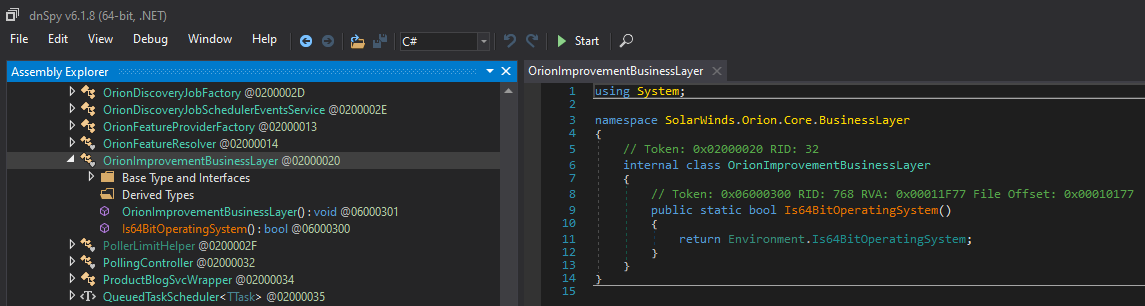
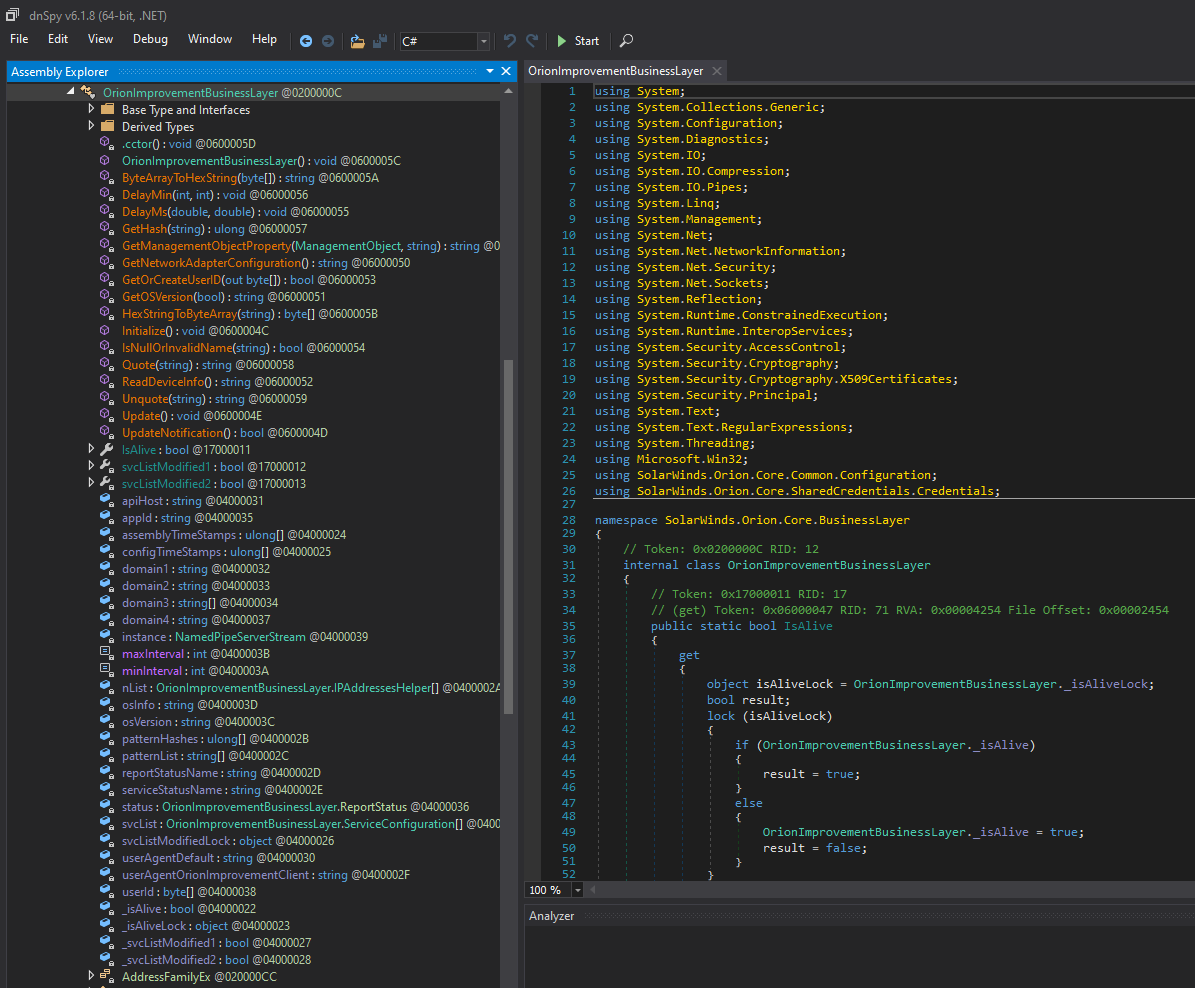
The DLL included in samples 2-4 all contain the same backdoor class and the same configuration (stored in SolarWinds.Orion.Core.BusinessLayer.dll.config):
The DLL included in sample 5 does not contain the backdoor.
Stealth mechanisms
At a high level, the backdoor code simply blends in with existing code, reusing code constructs, reusing code (e.g. HTTP and credential code; see the picture above), naming conventions, etc. What might stand out are all obfuscated strings (BASE64 encoded and compressed) and the use of native Windows functions. The class containing the backdoor is called OrionImprovementBusinessLayer. Guess there are many different ways to define “improvements” :-)
The backdoor is activated through the OrionImprovementBusinessLayer.Initialize() method. Before starting its more malicious behavior, the following conditions must be met:
- Check that the DLL is running under “SolarWinds.BusinessLayerHost”.ToLower().
- Check that it’s somewhere between 12 and 14 days since the file was installed.
- Check that it has not been installed before or if the configuration file is missing.
- Wait a bit, somewhere between 30 min and 2 hours.
- Check that the system is domain joined, that the domain is not on a domain blacklist and that the domain does not match “(?i)([^a-z]|^)(test)([^a-z]|$)” and “(?i)(solarwinds)”.
- Wait a bit, somewhere between 30 min and 2 hours.
- Check that a user ID can be constructed (MD5(MAC address || domain name || MachineGuid)).
- Wait a bit, somewhere between 30 min and 2 hours.
- Try this up to 3 times: check if standard security tools are running (e.g. Wireshark, dnSpy, sysmon); check if endpoint security products are running (e.g. Microsoft Defender, FireEye Endpoint Security) and if so, try and change a registry ACL so that the endpoint security products won’t start after next reboot; and check if specific drivers are running. Also, check if the system has can resolve Internet domain names (DNS lookup of api.solarwinds.com); this is performed a number of times, but the requests are throttled using by adding random delays.
- Wait a bit more, somewhere between 30 min and 2 hours.
- Repeat step 9.
- Create system-specific hostname, perform DNS lookup, and check that the resolved hostname is not within an IP blacklist.
- Check that the hostname is resolved to CNAME, then connect to the C2 (= CNAME) and start the remote shell in a new background thread.
- Clearly, a lot of these constructs have been implemented to avoid automated (sandboxing) and static (obfuscated strings) malware analysis. The delays are added to make traffic and statistical analysis more difficult.
All in all, the backdoor tries to stay under the radar with a lot of patience.